
How to Integrate Microsoft Copilot Studio with SAP: Step-by-Step Guide
Introduction
Businesses today are rapidly adopting AI to automate operations and improve efficiency. One of the most powerful tools enabling this transformation is Microsoft Copilot Studio.
When combined with SAP, it unlocks intelligent automation across ERP systems, enabling faster decisions, real-time insights, and reduced manual effort.
In this guide, we will walk you through how to implement Copilot Studio SAP integration step-by-step.
What is Microsoft Copilot Studio?
Microsoft Copilot Studio is a low-code AI platform that allows businesses to build intelligent assistants (Copilots) that can automate tasks, answer queries, and interact with systems like SAP.
It enables:
- AI-driven chatbots for business workflows
- Integration with APIs and enterprise systems
- Automation of repetitive ERP tasks

Why Integrate Copilot Studio with SAP?
SAP systems handle critical business processes such as finance, inventory, and sales. Integrating them with AI unlocks powerful automation.
Key Benefits
- Automate repetitive ERP tasks
- Real-time SAP data access via AI
- Improve decision-making
- Reduce manual errors
Real-World Use Cases
1. ERP Automation
A Copilot can fetch order status directly from SAP when a user asks:
"What is the status of Order #1001?"
2. Lead Management
Automatically create leads in SAP CRM when a new inquiry is received.
3. Workflow Automation
Trigger approvals, generate invoices, or send alerts automatically.
Architecture Overview
The integration typically includes:
- Copilot Studio (Frontend AI layer)
- API/Middleware (Node.js or Azure Functions)
- SAP APIs (OData/REST)

Step-by-Step Implementation Guide
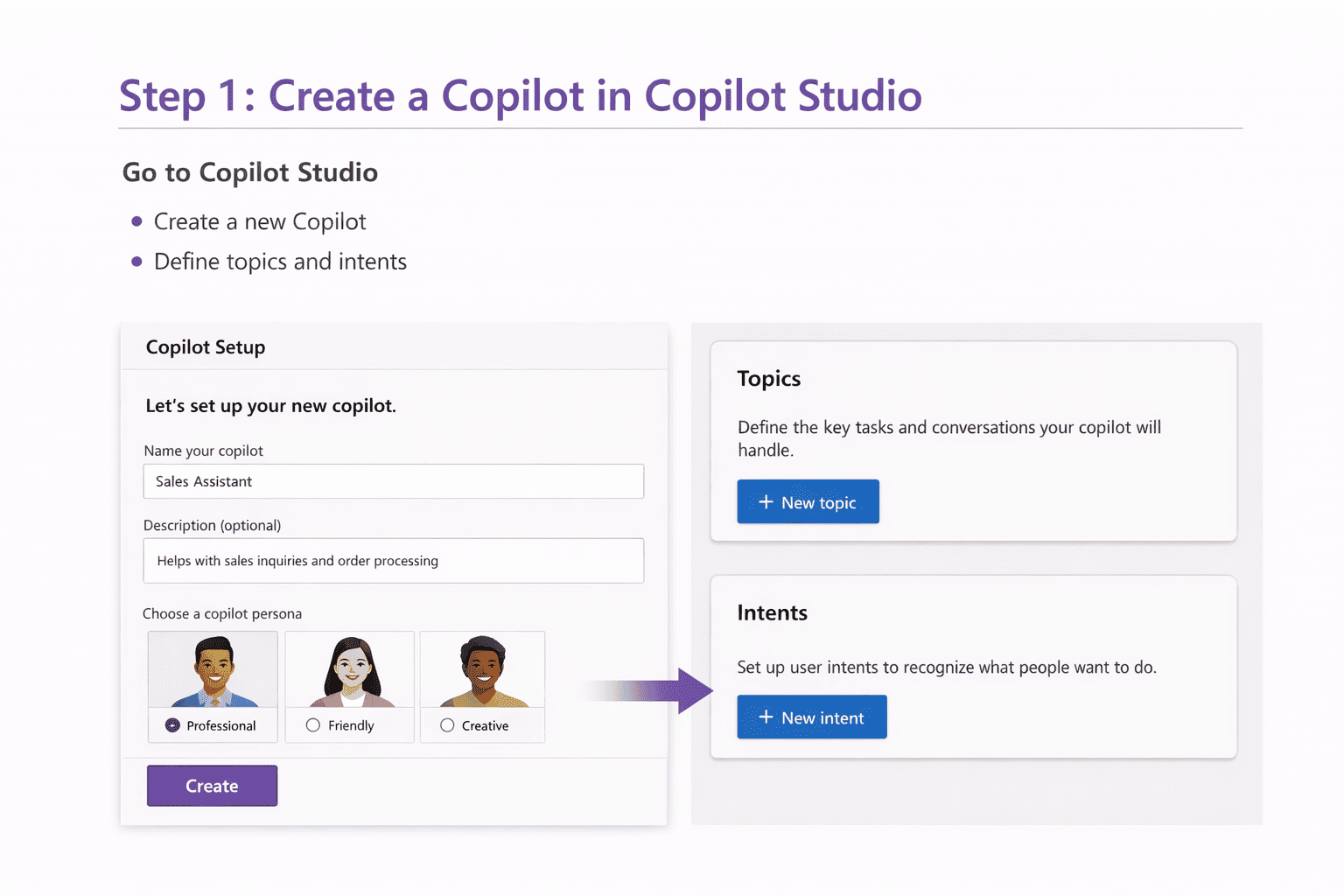
Step 1: Create a Copilot in Copilot Studio
- Go to Copilot Studio
- Create a new Copilot
- Define topics and intents
Step 2: Prepare SAP APIs
- Enable OData or REST APIs in SAP
- Expose endpoints for orders, customers, invoices
- Secure with authentication
Example API response:
{
  "order_id": "1001",
  "status": "Shipped"
}
Step 3: Build Middleware Layer
Use Node.js or Azure Functions to connect Copilot with SAP APIs.
- Handle authentication
- Transform data
- Manage business logic

Step 4: Connect API to Copilot
- Add custom connectors
- Define API actions
- Map inputs and outputs

Step 5: Design Automation Workflows
- Create triggers (user queries)
- Call SAP APIs
- Return structured responses
Step 6: Test and Deploy
- Test scenarios
- Handle errors
- Deploy to production
Benefits of Copilot Studio SAP Integration
- Faster business processes
- Reduced manual workload
- Real-time ERP insights
- Improved customer experience
Challenges
- API security and authentication
- Data consistency issues
- Integration complexity
Best Practices
- Use secure API gateways
- Implement logging and monitoring
- Use middleware for scalability
- Test workflows thoroughly
Conclusion
Integrating Microsoft Copilot Studio with SAP enables powerful AI ERP automation that transforms business operations.
With the right setup, businesses can automate workflows, improve efficiency, and deliver better user experiences.
Ready to implement Copilot Studio SAP integration?
Think Info Services helps businesses build AI-powered SAP integrations tailored to their needs.
Contact Us →